KeyboardDialog Search and ReplaceText ersetzen
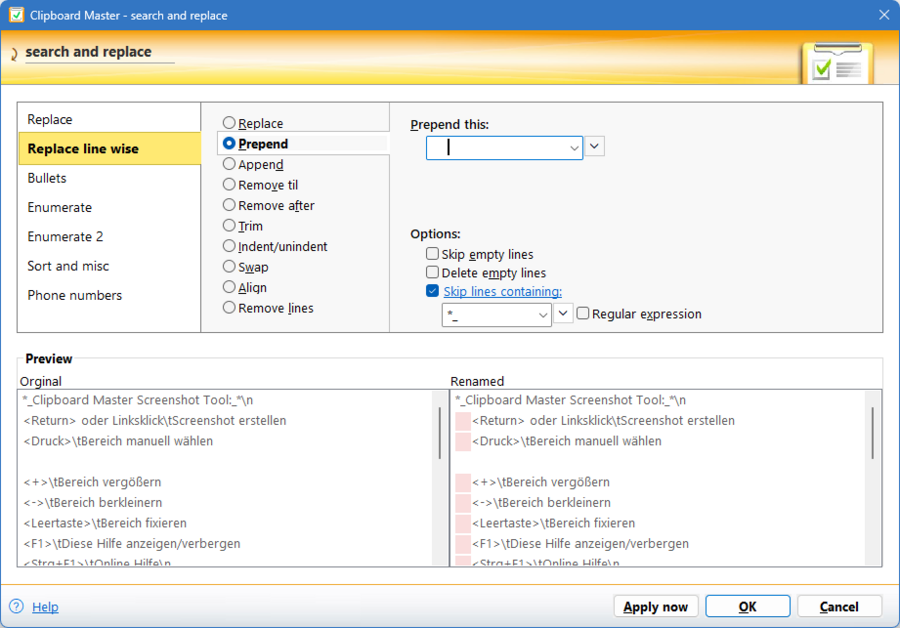
With Clipboard Master you can modify the selected text in any application:
How does it work:
Select the text you want to modify.
Then press the hotkey to show the search and replace dialog or use the global context menü (Ctrl + menu or Ctrl + right mouse button).
The dialog offers these options to modify the text:
Replace
Simple replace — optional regular expressions
» Details
Replace line wise
With thnis you have several options:
- Prepend text
- Append text
- Remove text til/after
- Trim
- Delete lines
- Indent/unindent
- Swap
» Details
Bullets and numbering
- Bullets » Details
- Enumerate » Details
- Enumerate 2 » Details
Sort
Sort line or block wise
» Details
Rename file
This dialog shown when you have selected files in the windows explorer and press the accoreding hotkey (e.g. Win + Alt + R) or selecting 'rename files' in the global context menu menu (Ctrl + menu or strg + right mouse button).
» Details