Rename filesRename subtiltle filesCompress Files
(Features: Tools 🡢 File Tools 🡢 Windows Explorer Enhancments have to be activated)
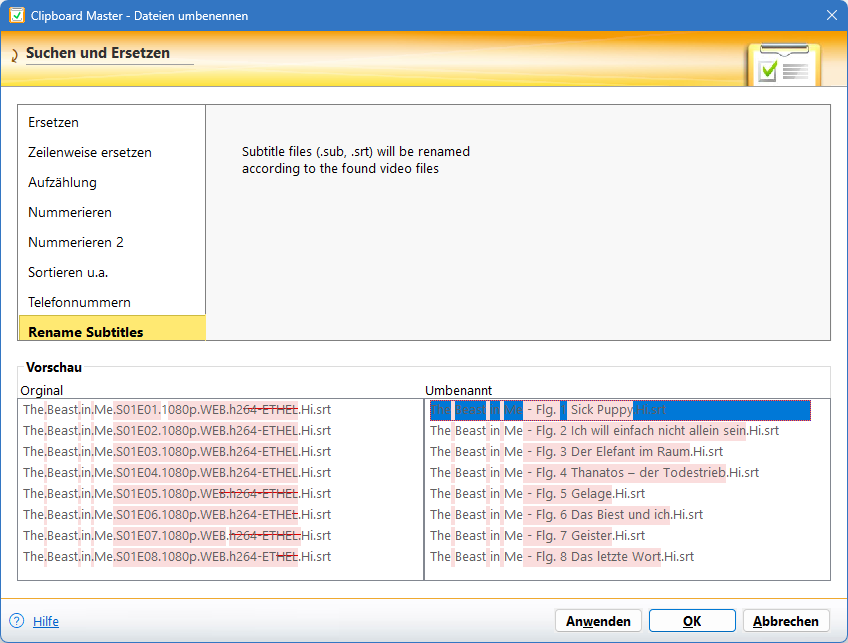
When you select one or several subtitle files and open the rename files dialog, you can rename the files according to the video files in the same folder. Clipboard Master automatically detect the season and episode numbers
- To select the files you may use the smart select feature.
- Then open the the Rename files dialog ( Alt + Windows + R or via the global context menu (Ctrl + right mouse button oder Ctrl + Menu) 🡢 Rename files)

In case there is more than one subtitle file for an episode, the largest one will be used.
Dialog rename subtitle files: